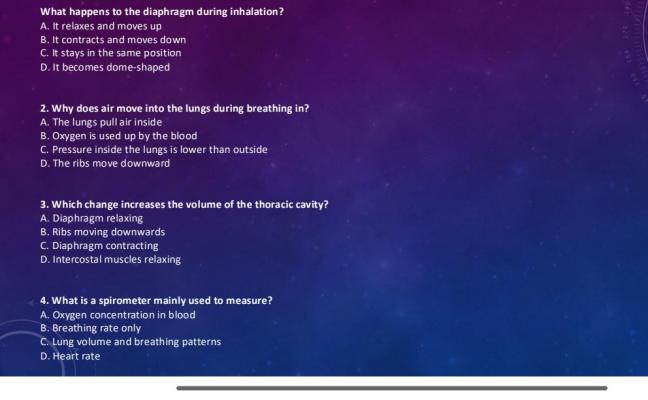
🚀 How Does Bikub Work? Step-by-Step
Whether you're preparing for an exam, reviewing a difficult chapter, or just testing your knowledge on a topic you find interesting, Bikub makes it incredibly easy to create and take quizzes. Here's exactly how it works:
Take or Upload a Photo
Grab your phone and photograph your handwritten notes, a printed lesson, a page from your textbook, or even a diagram. You can also upload an existing image directly from your device. Any clearly readable image works perfectly — even if the handwriting isn't perfect!
Our AI Reads and Understands the Content
Bikub's AI engine analyzes the text and visual information in your image. It identifies the key concepts, dates, definitions, formulas, and facts — the exact things you'll need to remember for your exam. The process takes only a few seconds.
An Instant Quiz Is Generated for You
Based on what the AI detected in your image, it automatically creates a set of personalized questions with multiple-choice answers. Each question targets a key piece of knowledge from your lesson, making the quiz genuinely useful — not random.
Take the Quiz and Get Instant Feedback
Answer each question and immediately see whether you got it right or wrong. This instant feedback is crucial for learning: your brain retains information much more effectively when it actively tests itself rather than just re-reading passively.
Save, Share, or Redo Your Quiz
Log in (free!) to save your quizzes and review them later. You can also share your quiz with classmates, friends, or anyone who's studying the same material. Registered users can keep their quizzes private; public quizzes are visible to the whole Bikub community.
🧠 Why Quiz-Based Learning Is Scientifically Proven to Work
Bikub isn't just a fun tool — it's grounded in decades of educational research. The method behind Bikub is called active recall, and it's one of the most powerful study techniques known to science.
Here's what the research says:
- Testing yourself is more effective than re-reading. Studies consistently show that students who test themselves on material retain it far better than those who simply review their notes.
- Spaced repetition amplifies results. Taking short quizzes at regular intervals (rather than cramming the night before) dramatically improves long-term memory.
- Immediate feedback accelerates learning. When you see instantly whether your answer is correct, your brain reinforces the right information and corrects misunderstandings on the spot.
- Generating questions deepens understanding. The very act of turning your notes into questions — even when done by AI — helps you engage more deeply with the material.
"The testing effect is one of the most robust findings in cognitive psychology. Students who are tested on material remember it significantly better than students who simply study it." — Memory & Learning Research
Bikub puts this science directly in your hands. Every time you snap a photo and take a quiz, you're using one of the most effective study strategies available — without any extra effort.
🎓 Who Is Bikub For?
📚 Middle School & High School Students
From history dates to math formulas, from grammar rules to biology definitions — Bikub helps you prepare for any class test or end-of-term exam. It's especially useful for subjects with a lot of facts to memorize, like geography, science, or literature.
🎓 University & College Students
University lectures move fast and cover a lot of ground. With Bikub, you can photograph your lecture slides or handwritten notes right after class and immediately generate a quiz to reinforce what you just learned — before you forget it.
👩🏫 Teachers & Educators
Teachers can use Bikub to quickly create revision quizzes from lesson materials and share them with the class. It's a great way to add interactive elements to lessons without spending hours writing questions manually.
🌍 Language Learners
Learning a new language? Photograph your vocabulary lists, grammar charts, or conjugation tables and let Bikub turn them into interactive exercises. It's one of the fastest ways to drill vocabulary and grammar rules.
💼 Professionals & Lifelong Learners
Whether you're studying for a professional certification, learning a new skill, or just keeping your mind sharp, Bikub works for any type of structured content. Photograph training materials, manuals, or reference sheets and test yourself instantly.
📖 What Subjects Can You Study with Bikub?
Bikub works with virtually any subject that involves written content, facts, concepts, or structured information. Here are some of the most popular categories our users quiz themselves on:
The AI adapts to the type of content it reads. For a page of dates and events, it generates chronological questions. For a vocabulary list, it generates definition-matching questions. For a diagram or labeled image, it targets the specific labels and concepts shown.
💡 Tips for Getting the Best Results with Bikub
Take your photo in a well-lit room or near a window. Avoid shadows across the page. The clearer the image, the more accurate the AI's reading will be.
For the most focused quiz, photograph one coherent section at a time — one chapter, one lesson, or one concept. Mixing several unrelated topics in one image can reduce question quality.
Bikub can read handwritten notes, not just printed text. Just make sure the writing is reasonably clear and not too small. Block letters and well-spaced lines work best.
Don't just take the quiz once and move on. Retaking the same quiz a day later, and then again a week later, is one of the most effective ways to move knowledge into long-term memory.
Share your quiz link with classmates and compare scores. A bit of friendly competition is a great motivator — and it makes studying much more enjoyable.
📊 Bikub vs. Traditional Study Methods
| Study Method | Time Required | Efficiency |
|---|---|---|
| Re-reading notes | ⏱️ Long | ⭐⭐ Low |
| Highlighting textbook | ⏱️ Long | ⭐⭐ Low |
| Writing flashcards manually | ⏱️⏱️ Very Long | ⭐⭐⭐ Good |
| Traditional online quiz tools | ⏱️ Moderate | ⭐⭐⭐ Good |
| Bikub AI Quiz (photo) | ⚡ Instant | ⭐⭐⭐⭐⭐ Excellent |
❓ Frequently Asked Questions
Top-Rated Quizzes
Countries and Capitals List
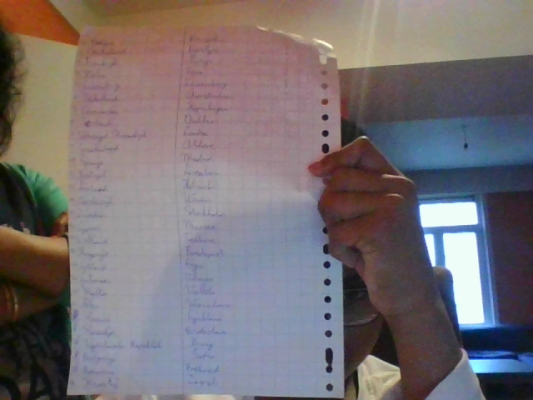
Vocabulary Matching Exercise
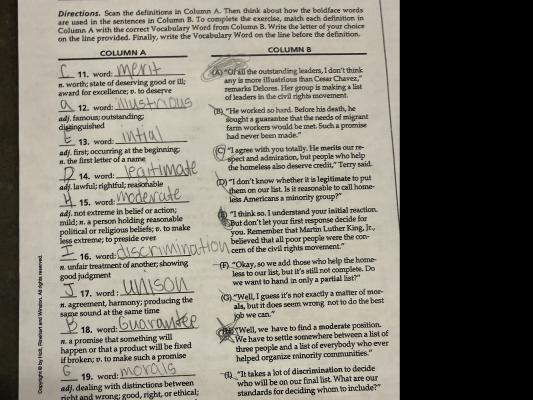
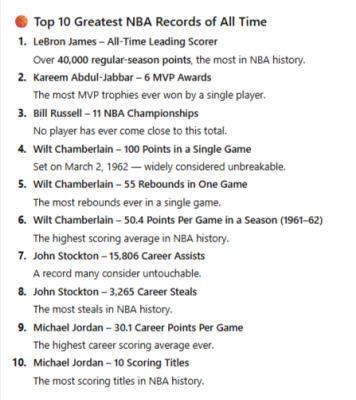
Top 10 NBA Records Ever
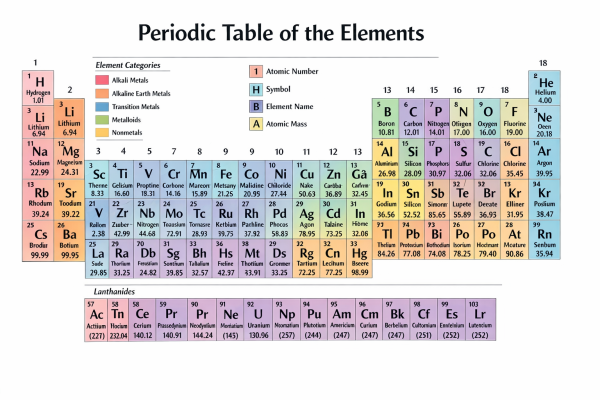
Periodic Table of Elements Overview
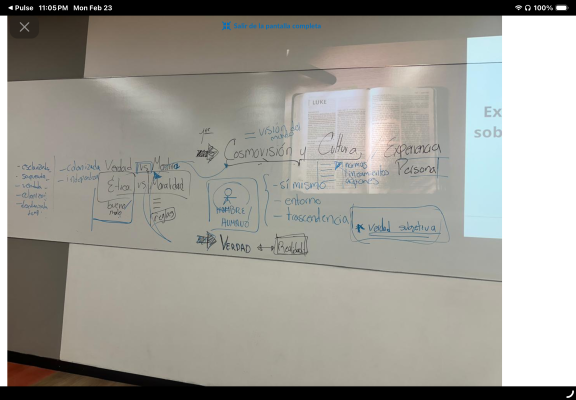
Worldview, Culture, and Ethics
Breathing Mechanics and Spirometry